
Let us get you 3 quotes
Compare and select the best POS Monitor & Terminal
Compare Quotes

Find the right
POS Monitor & Terminal
POS Monitor & Terminal
Join hospitality buyers comparing supplier quotes and buying with confidence. Free, quick and easy.
How HospitalityHub works
Tell us what you need
Answer a few quick questions about the equipment you're looking for.
Get personalised quotes
Receive tailored quotes from relevant Australian suppliers.
Compare and choose
Compare quotes, ask questions and choose the best option for you.
Looking to buy the best Uniwell POS Monitor & Terminal for sale? Get Quotes sends your requirements to expert suppliers in Australia so you get personalised quotes to compare POS Monitor & Terminal prices, specifications, features and terms then choose the one that’s right for you. Also compare servicing, consumables and reviews, so you can buy with confidence.
 Save time
 Compare quotes
 Buy with confidence
Save time, compare quotes & buy with confidence
POS Monitor & Terminal Suppliers
Updated Apr 15, 2026

Uniwell POS Australia | Point of Sale (POS) Systems
Selecting a Point of Sale (POS) system that suits your business can be a difficult challenge, especially given the large variety of technologies and systems currently available on the market. Uniwell POS Australia supplies purpose built, robust and reliable POS systems that are designed specifically to handle the rigors and tough environment of your shop front. We can provide ...
Selecting a Point of Sale (POS) system that suits your business can be a difficult challenge, especially given the large variety of technologies and systems currently available on the market. Uniwell POS Australia supplies purpose built, robust and reliable POS systems that are designed specifically to handle the rigors and tough environment of your shop front. We can provide ...


POS Monitor & Terminal
POS Monitor & Terminal
What is a POS monitor and terminal?
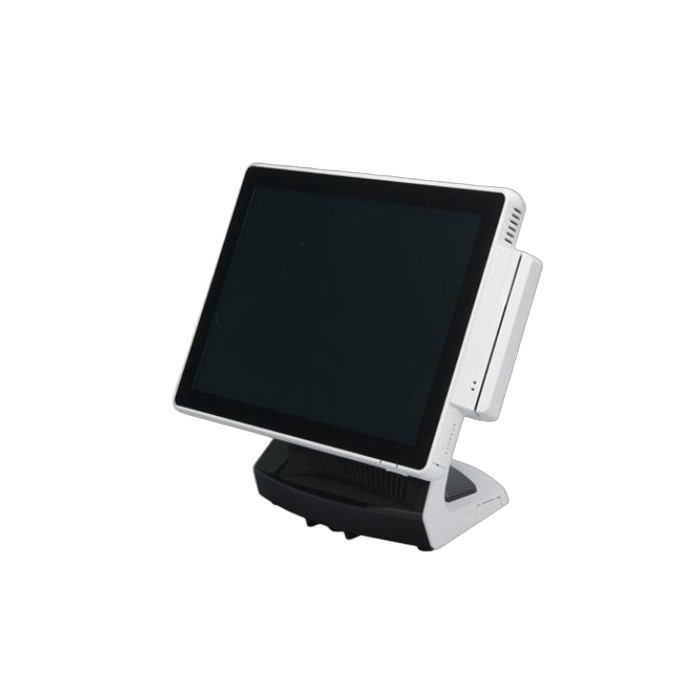
A POS (point of sale) monitor and terminal is a system used in retail and hospitality industries to process transactions and manage inventory. The monitor displays the transaction information and the terminal is the device used to input the transaction data, such as scanning barcodes or swiping credit cards. The system also typically includes software for managing sales data, inventory, and customer information.
What are the benefits of using a POS monitor and terminal?
Increased efficiency: A POS monitor and terminal can help streamline the checkout process, reducing wait times and increasing customer satisfaction.
- Accurate tracking: A POS system can track sales data, inventory levels, and customer information, providing valuable insights into business operations.
- Improved inventory management: A POS system can help manage inventory levels, ensuring that products are always in stock and reducing the risk of overstocking or understocking.
- Enhanced security: A POS system can help prevent theft and fraud by tracking sales data and providing security features such as password protection and user permissions.
What features should I look for in a POS monitor and terminal?
Touchscreen: A touchscreen monitor allows for easy navigation and input of data, reducing errors and increasing efficiency.
- Compatibility: Ensure that the POS terminal is compatible with your POS software and hardware, including printers, scanners, and cash drawers.
- Connectivity: Look for a POS terminal that has multiple connectivity options, such as Ethernet, Wi-Fi, and Bluetooth, to ensure seamless integration with your existing systems.
- Security: A POS terminal should have robust security features, such as encryption and password protection, to protect sensitive customer and business data.
- Durability: Choose a POS monitor and terminal that are built to withstand the wear and tear of daily use in a busy retail environment.
- Customization: Look for a POS terminal that allows for customization of the user interface and settings to meet the specific needs of your business.
How much does a POS monitor and terminal cost?
However, the cost of a POS monitor and terminal can vary depending on the brand, features, and specifications. Generally, a basic POS monitor and terminal can cost around $500 to $1,000, while high-end models with advanced features can cost upwards of $2,000 or more. It's best to research and compare prices from different vendors to find the best deal.
What is the warranty on a POS monitor and terminal?
The warranty on a POS monitor and terminal varies depending on the manufacturer and model. Some may offer a one-year warranty, while others may offer a three-year warranty. It is important to check the warranty information before purchasing to ensure that you are getting the coverage you need. Additionally, some manufacturers may offer extended warranties for an additional cost.
Can I customize my POS monitor and terminal to fit my business needs?
Yes, you can customize your POS monitor and terminal to fit your business needs. Many POS systems offer customization options such as adding or removing features, changing the layout and design of the interface, and integrating with other software or hardware. It is important to choose a POS system that offers the level of customization you need for your business.
What type of software is compatible with a POS monitor and terminal?
A POS (point of sale) monitor and terminal are compatible with various types of software, including POS software, inventory management software, accounting software, and customer relationship management (CRM) software. The specific software that is compatible with a POS monitor and terminal will depend on the brand and model of the equipment, as well as the needs and preferences of the business owner. It is important to choose software that is designed to work with the specific hardware and that meets the needs of the business in terms of functionality, ease of use, and cost.
How do I set up and install a POS monitor and terminal?
To set up and install a POS monitor and terminal, follow these steps:
- Choose a suitable location for the monitor and terminal, preferably near a power outlet and internet connection.
- Unpack the monitor and terminal and ensure all the necessary components are present.
- Connect the monitor to the terminal using the provided cables.
- Connect the power cable to the monitor and terminal and plug them into a power outlet.
- Connect the internet cable to the terminal and ensure it is connected to a stable internet connection.
- Turn on the monitor and terminal and follow the on-screen instructions to complete the setup process.
- Install any necessary software or drivers for the POS system.
- Test the system to ensure it is functioning properly.
- Train staff on how to use the POS system and troubleshoot any issues that may arise.
What type of maintenance is required for a POS monitor and terminal?
Regular cleaning and upkeep are necessary for POS monitors and terminals to ensure their optimal performance. This includes cleaning the screens and keyboards, checking for loose connections, updating software and security patches, and replacing worn-out parts as needed. It is also important to have a backup power source and a plan for data backup and recovery in case of system failure. Regular maintenance can help prevent costly repairs and downtime, ensuring smooth operations and customer satisfaction.
Get 3+ Quotes Now - Compare prices, availability and quality. It’s free, quick and secure.
Back to top
POS Monitor & Terminal Costs and Supplier Insights
The listed price of a POS Monitor & Terminal for sale ranges from $500 to $3,000, averaging $1,750.
Use Get Quotes to receive personalised prices and proposals from trusted suppliers with top reviews and excellent service.
Buy a POS Monitor & Terminal Near Me
Save time and delivery costs while getting fast support, by contacting POS Monitor & Terminal suppliers near you.

Are you a POS Monitor & Terminal supplier?
 Reach valuable hospitality buyers in minutes
 Promote key products & content
 Drive cost effective & measurable sales
learn more
Reach valuable hospitality buyers in minutes
Promote key products & content
Drive cost effective & measurable sales